Domastic Installation

Reliable Solar Solutions for Your Home

At K&S Solar Energy Pvt Ltd, we provide complete residential (domestic) solar system installation for homes, apartments, and rooftop properties across Pakistan. Our goal is to help homeowners reduce electricity bills, protect against rising power costs, and enjoy clean, uninterrupted energy.

We design each home solar system based on your electricity usage, roof space, and budget to deliver maximum savings with long-term performance.


Types of Home Solar Systems We Install

On-Grid Solar for Homes

Perfect for homes connected to the utility grid.

Benefits:

  • Major reduction in monthly electricity bills

  • Supports net metering to export extra units

  • No batteries required (lower cost)

  • High return on investment

Best for: Homes with stable grid supply.


 Off-Grid Solar for Homes

Ideal for areas with no grid or frequent load shedding.

Benefits:

  • Complete energy independence

  • Battery backup for night and outages

  • Reliable power in remote areas

Best for: Rural homes, farmhouses, or locations with unstable electricity.


Hybrid Solar for Homes

A combination of solar panels, batteries, and grid connection.

Benefits:

  • Lower bills with net metering

  • Backup during load shedding

  • Smart energy management

  • Uninterrupted power supply

Best for: Homes that want savings and backup.

 Our Home Installation Process

Site Survey & Load Analysis

We visit your home to analyze:

  • Electricity usage

  • Roof size and direction

  • Shading and sunlight exposure

 Custom System Design

We design a system that delivers maximum output and best ROI according to your needs.

 Professional Installation

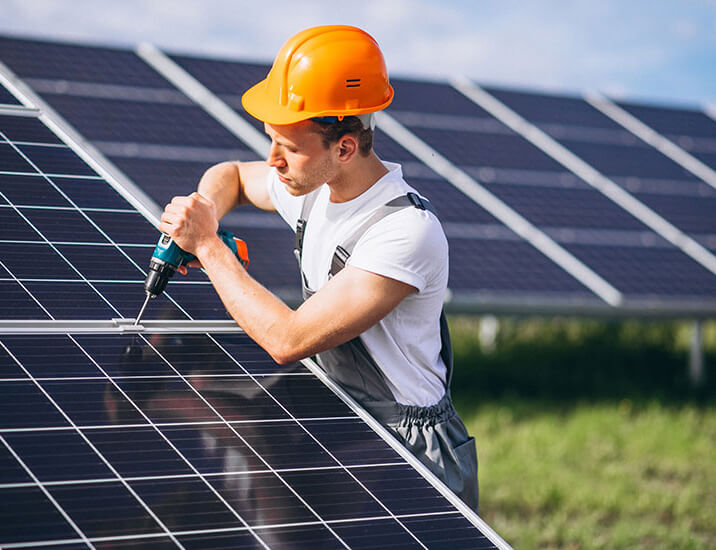
Our trained technicians ensure:

  • Safe mounting

  • Proper wiring and grounding

  • Clean and damage-free rooftop installation

 Testing & Handover

We test the system, guide you on usage, and provide full documentation.


 Benefits of Home Solar with K&S Solar Energy

✔ Reduce electricity bills by 60%–100%
✔ Protection from rising energy prices
✔ Clean and eco-friendly power
✔ Increased property value
✔ Quiet, safe, and low-maintenance system
✔ 1 Year Free Maintenance included


After-Sales Support

We don’t stop after installation. We provide:

  • Solar panel cleaning

  • System inspection & maintenance

  • Performance monitoring

  • Technical support

Your system stays efficient year after year.


 Why Choose K&S Solar Energy Pvt Ltd for Your Home?

✔ Experienced residential solar experts
✔ High-quality panels, inverters, and structures
✔ Customized design for every house
✔ Net metering assistance
✔ Transparent pricing
✔ Reliable after-sales service

Solar can save you money by replacing electricity from the grid with solar electricity generated on your roof. The cost of solar plus any remaining electric bill amount may be lower than what it was before solar.

Sourcing the Best of this Projects

The project data includes Items and Assemblies, Bills of Material (BOMs), and Approved Manufacturers Lists (AML). Multiple users can work as a team to complete sourcing and pricing activities, since the project lets multiple users view and modify the same components. Projects allow you to execute sourcing activities, including Request for Quotes (RFQs), depending on the lifecycle phase and analysis of your Item Master content.

Product Cost Management (PCM) consists of the Product Sourcing solution in combination with the Price Management solution to integrate and leverage valuable price and cost information within your business processes.

You can create a project from the beginning or create a copy of an existing project using the Actions > Save As command. The copied projects will not contain information such as partners, RFQs, supplier responses, and history.

Project Complete

This is the initial lifecycle phase of a project. In this state, you can edit only the Cover Page attributes, Item component data, and Attachments. In this state, however, you cannot create RFQs from the project. The RFQ creation and supplier responses are active after the project is moved to the Open state. Set by the project owner when all tasks for the project are completed.

Cart

No products in the cart.

Create your account